
How It Works
From install to a working Assets structure in under 5 minutes.
Install the app
Find JSM LaunchPad on the Atlassian Marketplace and install it to your Jira Cloud site. No configuration needed. It runs on Atlassian Forge, so your data stays inside Atlassian infrastructure.
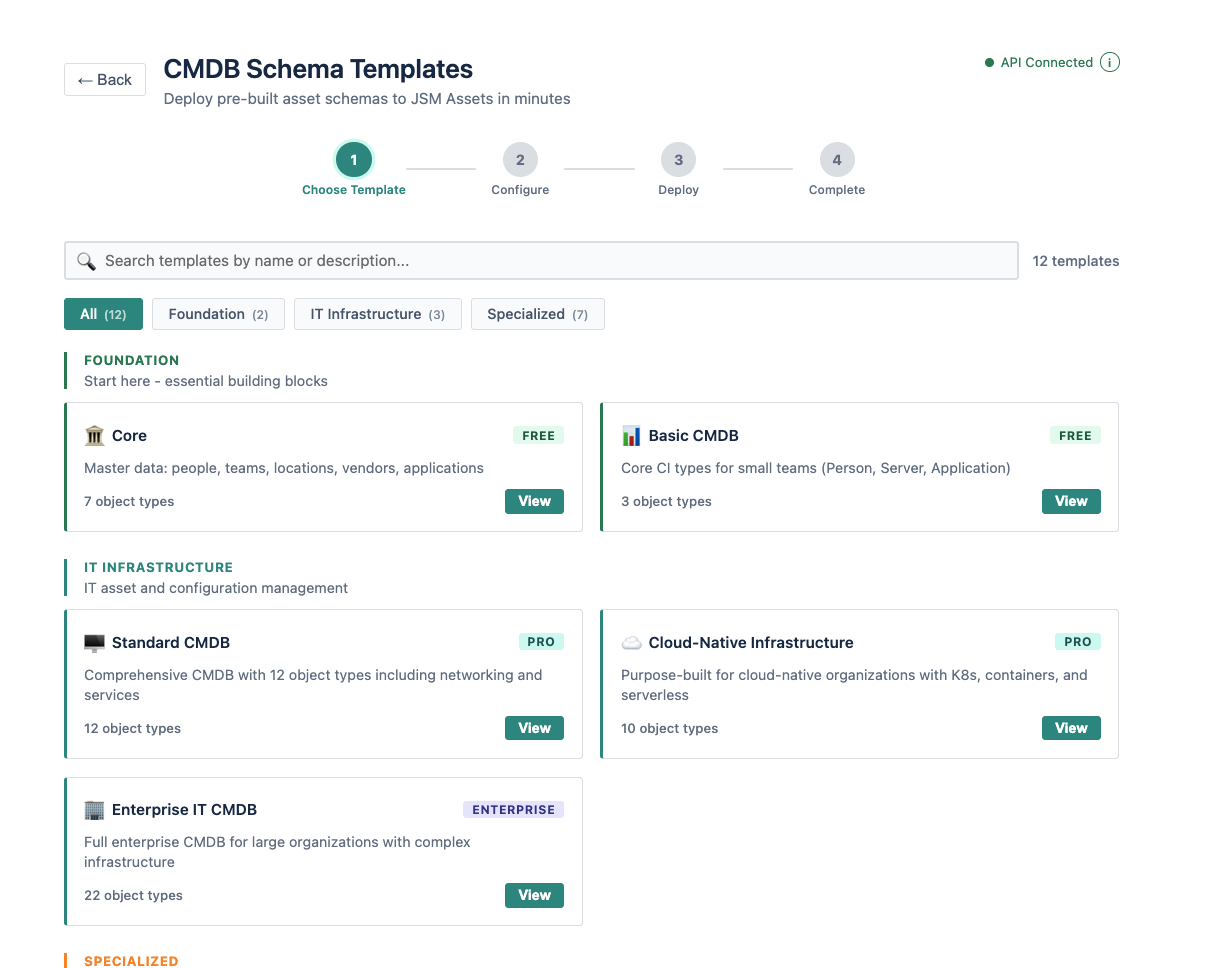
Choose a structure
Pick from ready-made Assets structures built from real service management deployments. Each one includes object types, attributes, and relationships — designed so you do not have to start from a blank screen.
Deploy
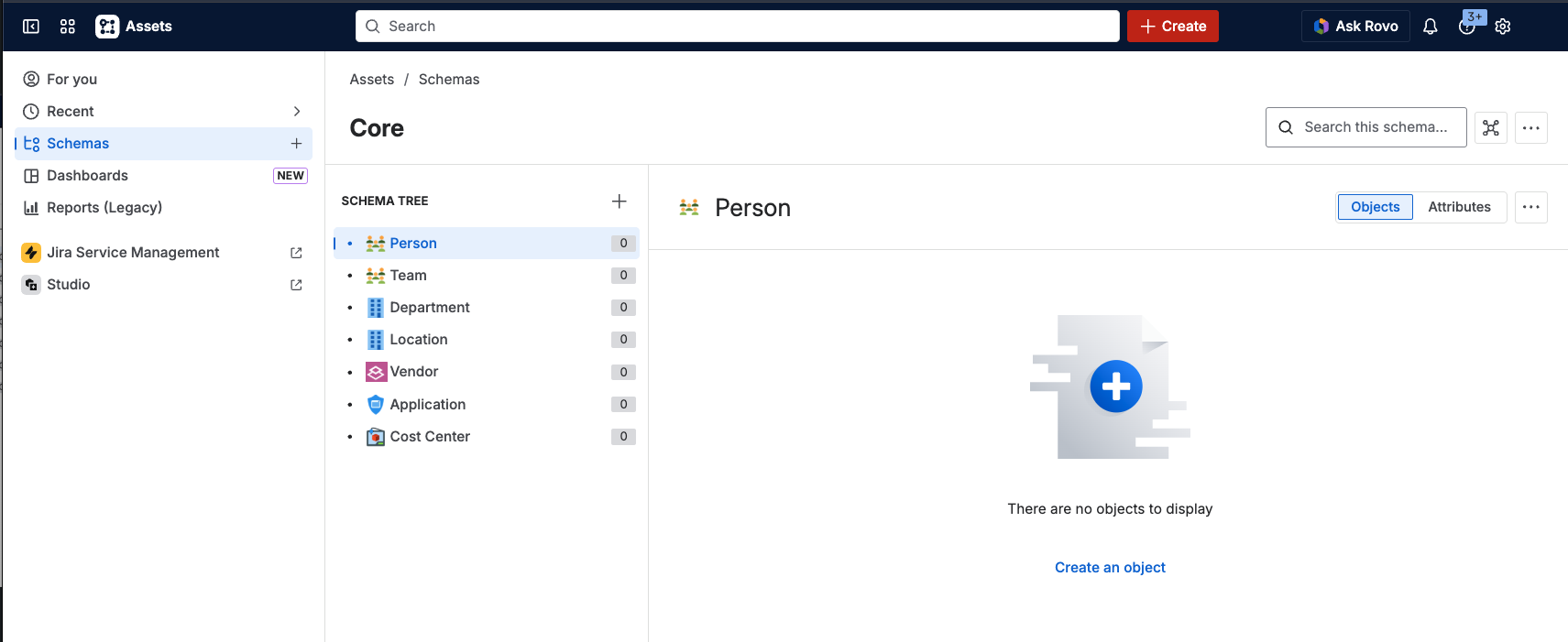
Click deploy. LaunchPad creates a new Assets schema on your site with all the object types, attributes, and relationships from the structure you chose. It does not touch your existing data.
Start using
Open JSM Assets. Your new structure is ready to populate. Start adding your assets, services, and relationships — manually, via CSV import, or through your existing discovery tools.
Safe to run on production. LaunchPad only creates — it never modifies or deletes existing schemas or data. Every deployment is additive.
Ready to get started?
Install JSM LaunchPad and deploy your first Assets structure today. Two structures are free with no time limit.
See available structures